https://www.forthea.com/metrics-analytics-for-wordpress-blogs/
Metrics & Analytics for WordPress Blogs – Forthea Interactive Marketing
- Google Analytics – From the 1st day you start your blog, make sure you install the free Google Analytics tracking code. Even if you are not a whiz with it – it’s still very important to have to code on your site to collect data. You may never even log into the account again – but it’s there for future reference. I could write an entire post about the good stuff you can glean from Analytics, but I’ll keep this high level for now.
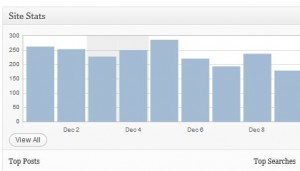
- WordPress JetPack– This handy tool contains more then just stats tracking, but I always install this in order to add a quick glance of the site stats to the WordPress Admin dashboard.

Jetpack Dashboard Shot
Beyond just seeing the traffic per day, JetPack will allow you to dig into each post, see the top search terms, top referring sites and top clicks off your site (your links). Here is an overview of everything this plugin will track for you.

Jetpack Stats @ Post Level
- Blog Metrics by Yoast– This handy plugin will give you an overview of your blog performance overall. The most interesting stat is the conversation rate per post – great for getting a high level picture of your blog performance.

Blog Metrics
- Raw Author Contribution:
- average number of posts per month
- average number of words per post
- Conversation Rate:
- average number of comments per post without your own comments
- average number of words used in comments to posts
- Raw Author Contribution:
- Social Metrics– Use this plugin to see how your blog and posts are performing in the social space. Instead of having to track it all down, you can see in one screen how many mentions, tweets, likes and more.

Social Metrics
- Track how your content is shared on Twitter, Facebook, Google +, Google Buzz, StumbleUpon, Digg and LinkedIn
- Find out exactly how many times your posts/pages have been shared across these social networks
- Performance of all blog posts and pages is displayed in tabular format on Social Metrics Dashboard
- Browse to find out which posts have gone viral and been popularized over social media
- Use the information to find out which social media websites you should promote your content on more frequently
- Access Social Metrics from WordPress Admin bar
- Easily filter the displayed output by categories and by month
- Quickly switch between posts and pages
- Choose how many posts you wish to see at a time
- Seamlessly share posts/pages over the social networks from right within the Social Metrics Dashboard
- Lightweight plugin with minimal settings


Learn more about Local Flint and Detroit Michigan Web design and Webdesign SEO best practices to grow your business.